
Social media works for a nonprofit when it starts with a small number of clear goals, a defined audience and a voice people recognise as yours, not with a rush to be on every platform. This guide walks through the plan in the order we would build it: goals, audiences, platforms, policy, content, calendar, accessibility and measurement. It is written for Australian organisations, with extra attention to disability organisations, where accessible and respectful content is part of the job.
TL;DR
- Pick two or three goals tied to your mission (awareness, community, volunteers, fundraising) and turn them into measurable targets.
- Choose platforms by where your priority audiences already are, not by what is fashionable.
- Write a short social media policy before you post: who can publish, how you speak, what happens when something goes wrong.
- Plan a simple calendar of content themes and formats, and review it against your results regularly.
- Build accessibility in from day one: alt text, captions, strong contrast, and testing with people with disability.
Table of Contents
- What social media can do for an Australian nonprofit
- Start with goals and audiences
- Choose platforms where your audience already is
- Build your strategy around a voice people recognise
- Write a social media policy before you post
- Create content that builds real engagement
- Build a nonprofit social media calendar
- Make your content accessible and respectful
- Measure results and adjust
- Perspective: why distinct beats generic
- How we can help
- FAQ
- Sources
What social media can do for an Australian nonprofit
The Australian Charities and Not-for-profits Commission (ACNC) describes social media as a cost-effective way for small charities to communicate with supporters, members, volunteers and the public, share news, showcase their work and build their reputation. That covers most of what a small organisation needs: telling people what you do, showing the work behind the cause, and giving supporters an easy way to respond.
In practice, nonprofit social media tends to serve four jobs:
- Awareness. People who have never heard of you learn what you stand for.
- Community. Existing supporters, members and families feel part of something and talk back.
- Recruitment. Volunteers, board members and staff find you.
- Fundraising and partnerships. Donors, sponsors and corporate partners see proof of your impact.
You do not need to do all four at once. Which ones matter most is the first decision in your plan.
Start with goals and audiences
The Australian Sports Commission (ASC) advises starting with a limited number of social media goals linked to organisational goals, then turning them into SMART objectives. Its examples include awareness, community engagement, loyalty, volunteer recruitment and sponsorship delivery. The advice is not specific to sport, and it suits any nonprofit.
Here is what that looks like in a worked example for a fictional disability employment charity:
| Organisational goal | Social media goal | SMART objective |
|---|---|---|
| Place more people with disability in jobs | Recruit employer partners | Generate 15 employer enquiries from social posts within six months |
| Grow our volunteer base | Volunteer recruitment | Reach 40 volunteer applications through two campaigns this financial year |
| Be known as a leader in inclusive hiring | Awareness | Lift monthly profile visits by a set percentage against the last quarter |
The numbers are yours to set from your own baseline. The point is that every goal is specific, has a time frame and can be checked.
Define who you are talking to
The ASC also says audience selection should drive platform choice. It recommends defining audience personas using demographic and psychographic characteristics. Demographics are age, location and role. Psychographics are what people care about, what worries them and what makes them share something.
For most nonprofits, three to four personas are enough. For example: a parent or carer looking for services, a prospective volunteer, a corporate donor, and a person with disability who might use your program. Write a paragraph on each: what they want to know, what they are tired of seeing, and what would make them act.
Choose platforms where your audience already is
The ASC’s guidance is to establish a presence where your priority audiences already communicate. The ACNC notes that Facebook remains dominant and is important for reaching Gen X and Baby Boomers, while Instagram stays popular with Millennials and Gen Z for visually engaging content.
A sensible starting point for many Australian nonprofits:
- Facebook for community updates, events, groups and reaching older supporters, carers and families.
- Instagram for stories, behind-the-scenes content and younger audiences. We have a separate practical guide to Instagram for nonprofits if this is your lead channel.
- LinkedIn if corporate partners, employers or government stakeholders are a priority.
Two platforms done well beat five done thinly. If you have one person part-time on social media, start with one channel, run it for a quarter, and only then add another.
Build your strategy around a voice people recognise
A strategy is more than a posting schedule. The ASC says a social media strategy should cover goals, audience, content, platforms, monitoring, tools, measurement, resources and organisational responsibility. It also recommends an editorial mission, meaning the topics and messages that resonate with your audience, along with a distinct brand voice and style and tone-of-voice guidance.
Voice is where many nonprofits blur together. Generic stock photos, soft language about hope and journeys, and the same appeal in every caption make organisations look interchangeable. An Australian digital guide makes the point that a consistent, authentic voice that feels human helps an organisation build engagement and feel like an organic part of the platform.
Practical steps:
- Write three to five words that describe how you sound (for example: direct, warm, a bit cheeky, never pitying).
- List words and framings you will not use, especially around the people you serve.
- Decide your core content themes (see the calendar below).
- Put it in a document everyone who posts can use. Our guides to brand voice guidelines and nonprofit brand guidelines show what to include.
If your visual identity and messaging are still unsettled, fix that first. A brand messaging framework gives every post something consistent to draw on, and our guide to nonprofit rebranding covers what to do when the brand itself needs refreshing.
Write a social media policy before you post
The ACNC suggests setting out why your charity uses social media and creating a clear, concise policy. It should cover your platforms and activities, risks, professional and respectful conduct, who may post, prohibited behaviour and procedures for when problems arise. It also advises limiting publishing access and removing it when people leave.
A one-to-two page policy is enough for most small organisations. A useful structure:
- Purpose: why you are on social media and which goals it serves.
- Accounts: which platforms you run and who owns the logins.
- Who posts: named people, and who approves sensitive content.
- Conduct: how staff, board members and volunteers should behave when they mention the organisation on their own accounts.
- Consent: how you get permission to share photos and stories, particularly from people with disability, children and families.
- Problems: who responds to complaints, abusive comments or a crisis, and how fast.
- Offboarding: how access is removed when someone leaves.
Write it plainly. A policy nobody reads protects nobody.
Create content that builds real engagement
Algorithms change, and reach for organic posts can be unpredictable. Midsumma’s social media reach and visibility resource recommends focusing on meaningful engagement such as shares, saves and comments rather than just likes, and not relying on a single post, by diversifying across formats like Stories and Reels. Its broader argument is that building community and encouraging conversation does more than chasing vanity metrics.
That shifts how you write. A post that ends with a real question, asks people to save something useful, or invites them to tag a friend does more than one that only announces. If you want a wider view of how to design for people and their reactions, this guide to building a stakeholder engagement plan offers a useful way to think about who needs to hear what from you.
Content that tends to suit nonprofits
- Stories from the work, told with consent and with the person’s own words wherever possible.
- Behind the scenes: the team, the prep, the ordinary Tuesday.
- Useful content: tips, explainers and resources your audience will save.
- Calls to action: volunteer, donate, attend, share, each with one clear next step.
- Impact updates: what changed because of supporters.
- Recognition: thanking volunteers, partners and donors publicly.
Mix formats. A short video, a carousel, a static image and a text post will each reach different people. For data-heavy content, see our guide to accessible infographics.
Build a nonprofit social media calendar
A calendar turns strategy into habit. It does not need special software; a shared spreadsheet works. Build it in layers.
Layer 1: fixed dates
Mark the dates your audience already cares about: awareness days relevant to your cause, your own events and fundraising appeals, grant and reporting milestones, and the end of the financial year if you run tax-time giving appeals. Check each date against your mission so you only join conversations you can speak to credibly.
Layer 2: content themes
Choose four or five recurring themes, drawn from your goals. For a disability organisation these might be: community voices, practical resources, advocacy, events, and thank-yous. Assign each a rhythm, such as one theme per weekday.
Layer 3: formats and frequency
Start with a rate you can sustain. For a team with limited hours, three posts a week on a main platform, plus Stories when there is something to show, is better than daily posting that collapses after a month. Increase only when you can keep up with replies as well as posts.
A simple weekly template:
| Day | Theme | Format | Goal served |
|---|---|---|---|
| Monday | Community voice | Photo or short video | Community |
| Wednesday | Useful resource | Carousel or infographic | Awareness |
| Friday | Get involved | Story or post with link | Volunteers or donations |
Columns worth adding to your spreadsheet: date, platform, theme, draft copy, visual, alt text, caption file, approver, link and result. Including alt text and captions as columns makes accessibility a step in the workflow, not an afterthought.
Schedule posts in batches, but leave room for timely responses. A calendar that cannot flex around news or a community moment looks automated.
Make your content accessible and respectful
For any nonprofit this is good practice. For a disability organisation it is a signal of whether you mean what you say. Digital NSW’s accessibility toolkit recommends alt text, captions or transcripts and strong colour contrast, and it advises respecting people’s language preferences and recognising the diversity of disability experiences.
A checklist to use on every post:
- Alt text on every image, describing what matters about it, not just what it shows.
- Captions on every video, and a transcript where there is audio-only content.
- Contrast: readable text over images and backgrounds.
- No flashing content, a point also raised in NSW Government social media guidance.
- Say it in the copy when a platform feature, such as a GIF, cannot carry alt text. The same NSW guidance says important information should be in the post text itself.
- CamelCase hashtags (#AccessibleDesign, not #accessibledesign) so screen readers read them clearly.
- Plain language and short sentences, which also helps neurodivergent readers. Our guide to neuroinclusive design goes further.
Test with the people you serve
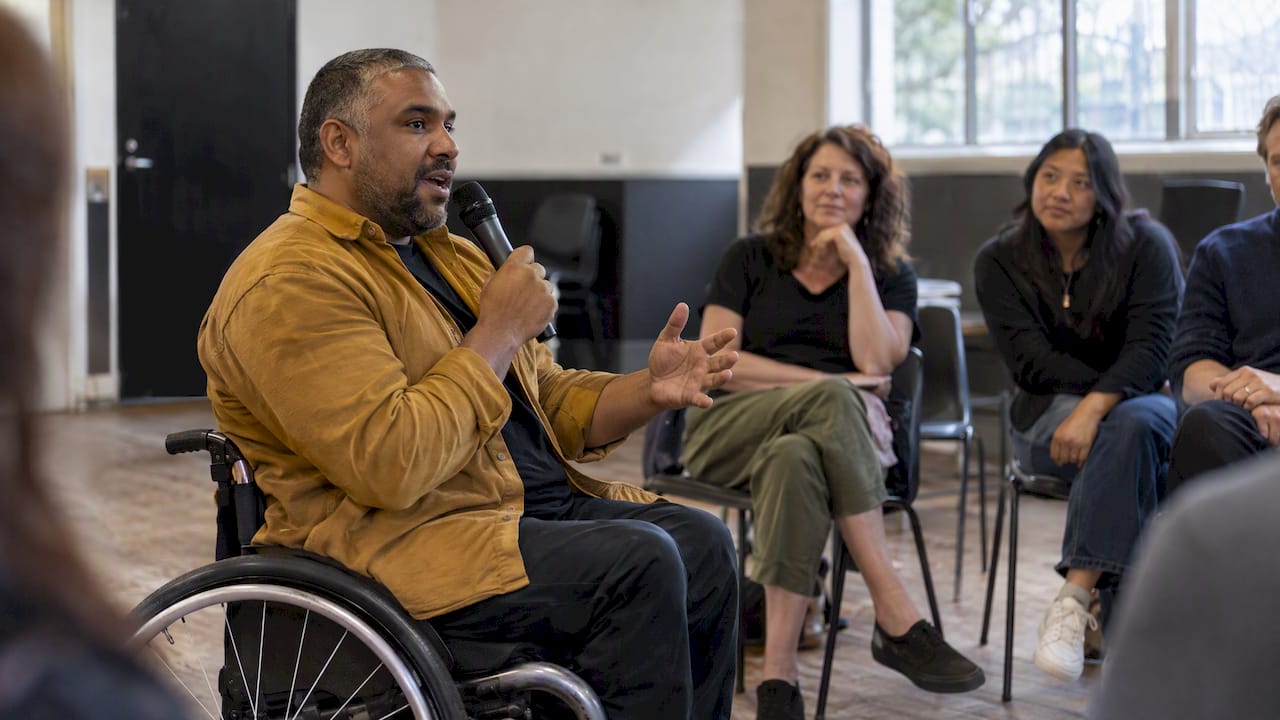
The Digital NSW toolkit encourages organisations to test their social media with people with disability and use their feedback. The Queensland Government makes a similar recommendation in its accessible events guide. Pay people for their time, and act on what they tell you.
Accessibility should carry through to your website too. See our WCAG 2.2 checklist and our guide to writing an accessibility statement, since social posts often send people there.
Represent people on their terms
Avoid pity framing, inspiration framing and anonymous stock imagery. Show people doing things, speaking for themselves, and shaping the organisation. Ask how each person wants to be described, and use identity-first or person-first language accordingly, since preferences vary.
Measure results and adjust
The ASC recommends regularly reviewing results against performance benchmarks and KPIs, using platform analytics and metrics linked to your goals, such as website traffic or membership growth, and auditing channels and content to see what works. It also suggests testing content topics, formats, posting times, frequency and calls to action, and monitoring mentions through keyword alerts, hashtags and notifications.
A monthly review need not take long:
- Pull the numbers that match each goal (enquiries, sign-ups, link clicks, saves, shares, comments).
- Note your five best and five weakest posts and ask why.
- Change one variable at a time: a format, a time, a call to action.
- Record what you learned in the calendar so next quarter starts smarter.
Likes are pleasant, but a handful of volunteer enquiries tells you more than a thousand of them.
Perspective: why distinct beats generic
Most nonprofit feeds look alike: the same stock photos, the same gentle language, the same appeals. In the disability sector this does extra damage, because generic imagery and messaging often flatten the very people an organisation exists to represent.
We believe social media works best when it grows out of a brand with its own identity and voice, built with people who live the experience. That is how our team works, including young creatives with disability, and it is why we think strategy, design and content should be developed together rather than patched on after the fact.
Accessibility belongs in that same conversation. When captions, alt text and contrast are part of the creative approach from the start, they make the work better for everyone, and they tell your community you are serious.
Tommy
How we can help
If you want social media that sounds and looks like your organisation, our team can help with brand strategy, visual identity, content creation, social media management and DIY branding courses for disability organisations and social enterprises. You can see everything we offer on our services page, or read how social media management costs break down in Australia before you decide.
When you are ready to talk, get in touch with DISBRANDED and tell us what you want your social channels to achieve.
FAQ
How often should a nonprofit post on social media?
Post as often as your team can keep up with consistently, including replying to comments. For many small organisations that means about three posts a week on one main platform. Test frequency as part of your monthly review and only increase it when results and capacity justify it.
Which platform is best for a nonprofit?
It depends on your audience. The ACNC notes Facebook remains important for reaching older audiences, while Instagram suits younger audiences and visual content. Define your audience personas first, then choose the platform where those people already spend time.
Does a small nonprofit need a social media policy?
Yes. The ACNC recommends a clear, concise policy covering who may post, expected conduct, risks and how problems are handled. For a small team it can be one or two pages, and it should be updated when roles change.
How do disability organisations make social media accessible?
Add alt text to images, captions to videos, transcripts for audio, and use strong colour contrast and no flashing content. Where a feature cannot carry alt text, put the key information in the post copy. Test your content with people with disability and act on their feedback.
What should a nonprofit social media calendar include?
Include fixed dates, recurring content themes, formats, posting frequency, draft copy, visuals, alt text, approvers and results. Keeping all of this in one shared sheet makes planning and monthly review much quicker.
Sources
- Small Charities Library: Social media, ACNC
- Strategy and Responsibility, Australian Sports Commission
- How to create a social media strategy, Digital Transformation Australia
- Social media reach and visibility, Midsumma
- Social media, Digital NSW accessibility and inclusivity toolkit
- Accessibility and inclusion on social media, NSW Government
- Queensland Government Accessible Events Guide
- How to build a stakeholder engagement plan