
Inclusive UX research is user research designed from the start to include people with disability and diverse access needs, as participants and as people who shape the study. In practice that means recruiting a wider group, choosing methods that do not lock anyone out, testing with real assistive technology, and feeding the findings into a loop of fixing and retesting. This guide walks through each step, using Australian government guidance and Australian case studies.
TL;DR
- Inclusive research starts with who you recruit: include different abilities, access needs, digital skills and life events, and people who cannot use your service at all.
- Standards and people work together. WCAG covers broad technical requirements, and disabled participants show you the barriers a checklist misses.
- Fix the method before you fix the product: accessible venues, formats, devices and communication options decide who can take part.
- Test live products with real assistive technology wherever you can, and record who is and is not represented in your sample.
- Treat research as a loop (recruit, observe, prioritise, fix, retest), not a compliance task at the end.
Table of Contents
- What inclusive UX research actually means
- Decide who belongs in your study
- Recruit and support participants
- Choose methods and formats that fit
- Account for assistive technology and reduce bias
- Turn findings into fixes
- Our perspective
- Where we can help
- FAQ
- Sources
What inclusive UX research actually means
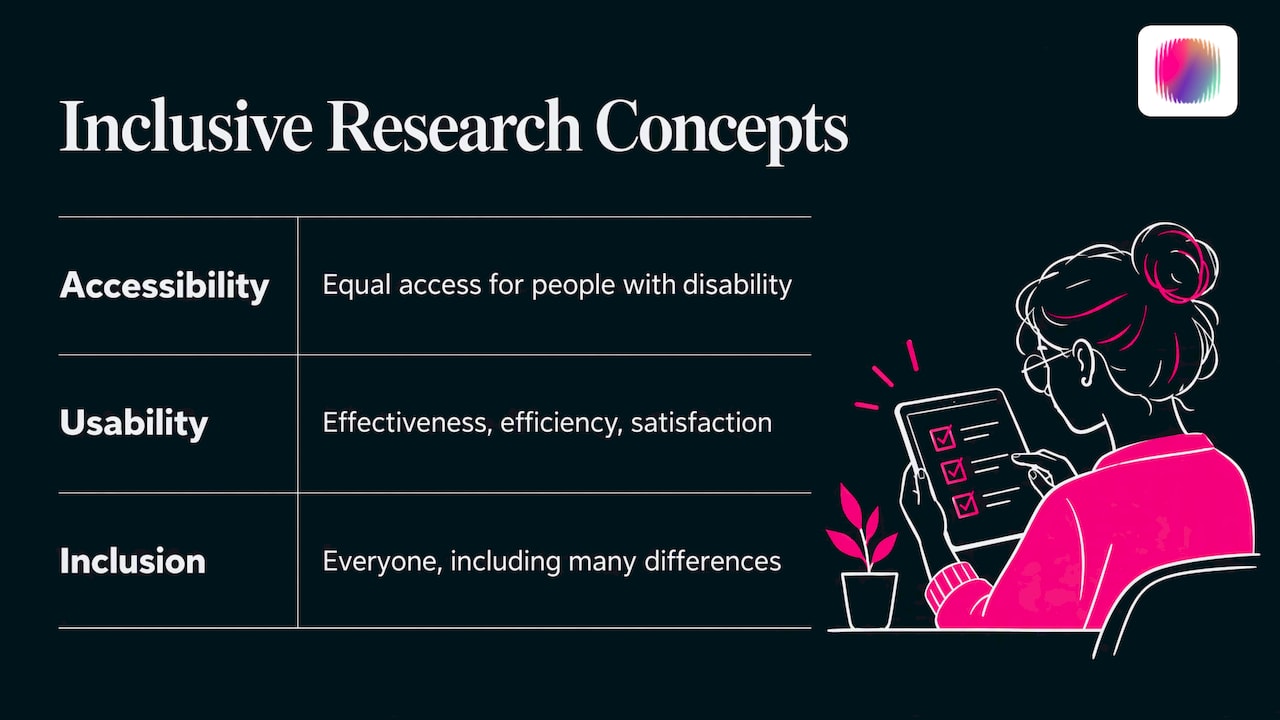
The plain definition: it is ordinary user research, done so that disabled people are part of it and their needs shape the design of the study. Accessibility, usability and inclusion overlap but are not the same thing. W3C explains the distinction: accessibility is about equal access for people with disability, usability is about effectiveness, efficiency and satisfaction, and inclusion covers everyone, including differences in connectivity, skills, economic situation, education, geography, culture, age and language.
That last point matters for research planning. If you only recruit people who describe themselves with a diagnosis, you will miss the person on an old phone with patchy data, or the person who reads English as a third language. Inclusive research widens the lens so those people appear in your findings.
How it differs from accessibility testing
Accessibility testing usually checks a product against a standard such as WCAG. Inclusive research asks real people to use the product and watches what happens. You need both. W3C says evaluation with real users can reveal issues that conformance checks alone may miss, but it also says user studies should be combined with a WCAG conformance review, because a study with a handful of people cannot establish accessibility for every disability group.
If you want the technical side covered, our WCAG 2.2 checklist and website accessibility audit checklist pair well with the research approach below.
Decide who belongs in your study
The Australian Government’s Digital Experience Toolkit says inclusive research should start with a diverse group: people with different abilities, access needs, digital skills, life events and demographics. It also says to include people who have trouble accessing the service or cannot access it, and to look at their workarounds. Those workarounds show you what is pushing people out.
Build a minimum viable cohort
Digital NSW suggests defining a minimum viable cohort before accessibility testing. Its list covers blindness or low vision, deafness or hearing loss, mobility, neurodivergence, age, gender and geography. Use it as a starting frame and adapt it to your product. A tax tool, a transport app and a disability service portal will each need a different mix.
Look at intersections
People do not experience barriers one at a time. An Australian-led 2025 study in Frontiers in Sociology worked with culturally and linguistically diverse migrants with disability. It showed how disability, migration, language and cultural identity can combine into barriers that a single-axis accessibility framework does not capture. If your audience is diverse, your sample should be too.
Do not over-generalise
W3C warns that findings from a small number of participants should not be generalised to all people with a disability. One screen reader user is one person’s setup and habits. Write your findings as what these participants experienced, and use patterns across sessions to prioritise.
Recruit and support participants
Recruitment is where many studies quietly exclude people. Digital NSW recommends recruiting through social channels, customer databases and disability organisations, and notes that incentives may be needed to support participation. Budget for that from the start.
An Australian example of broad recruitment is a 2023 study on accessible autonomous vehicles presented to the Australasian Transport Research Forum. It reached people with disability across the country through online and paper surveys, state transport networks, a university network, advocacy groups and community organisations.
Remove barriers built into the method
The Digital Experience Toolkit recommends choosing accessible research locations and avoiding exclusion caused by the research method itself, including barriers related to devices, internet access and digital literacy. A quick checklist before any session:
- Offer a choice of format: in person, phone, video or written responses.
- Check the venue, or the video platform, against the access needs of each participant.
- Send information in plain language ahead of time, in accessible formats.
- Ask what adjustments people need rather than guessing, and confirm them again before the session.
- Allow people to use their own devices and settings.
- Plan for follow-up contact and flexible timing.
The Frontiers researchers adapted their materials around each participant through ongoing collaboration, follow-up, phone calls and user-led solutions. That kind of research operations work builds rapport and reduces access barriers at the same time.
Choose methods and formats that fit
No single method suits everyone. The table below pulls together approaches from the Australian examples and W3C guidance.
| Method | Where it helps | Access considerations |
|---|---|---|
| Moderated usability testing | Finding real interaction barriers with assistive technology | Allow more facilitator interaction and focus on accessibility-related errors, not only time on task |
| Live product pilots | Catching integration, timing and device issues | Test across devices and platforms, with participants using their own setups |
| Mixed-method surveys | Reaching a wide audience across the country | Offer paper as well as online, add alt text for images, and have the survey reviewed by a disability organisation |
| Interviews and creative workshops | Understanding context, culture and lived experience | Adapt materials per participant and allow follow-up |
| Co-design and guided discussion | Giving participants a role in shaping solutions | Build in time, rapport and clear roles |
Adjust your usability protocol
For accessibility-focused studies, W3C says protocols may use think-aloud with more facilitator interaction, focus data collection on accessibility-related errors, and target tasks at suspected barriers rather than relying only on time on task or satisfaction scores. A screen reader user who takes twice as long may be working perfectly well with a poorly built page. The timer tells you little. The reason tells you everything.
Make surveys accessible
The Australian transport study used online surveys plus paper forms, included alternative text for images, and had the Queensland Disability Network assess the survey for people with low vision and blindness. It also combined multiple-choice and short-response questions to capture both numbers and stories. That is a sound template for any survey you run.
Test real products, not mock-ups
Telstra’s My Telstra pilot ran from November 2020 to February 2021 in four rounds of live testing with 20 people with disability. Participants used multiple platforms and devices, with vision, mobility, dexterity and neurodivergent access needs represented. Live testing exposed real integrations, reaction times and device configurations that simulated tasks and checklists can overlook.
The practical lesson: paper or wireframe prototypes offer limited value when you want to test screen readers or speech-to-text. Test early concepts for comprehension and flow, then move to coded builds for assistive technology testing.
Account for assistive technology and reduce bias
Cover varied setups
The 2025 Intopia Assistive Technology Survey of Australian and New Zealand users reports that nearly half of respondents with disability had two or more conditions, more than half of desktop and mobile users relied on screen readers, and 8 in 10 used both a desktop and a mobile or tablet online. Two takeaways for your plan: do not treat people as a single diagnosis, and test across desktop and mobile.
The Frontiers study also found that screen-reader compatibility, cross-platform inconsistency and limited multilingual support remained barriers even where accessibility features were present. Having the feature is not the same as it working in someone’s daily routine.
Look for what guidelines do not cover
Telstra’s live testing surfaced issues not necessarily covered by a guideline. Lengthy instructions overwhelmed a participant with dyslexia, and bright white backgrounds tired a participant with low vision. If your team designs for neurodivergent audiences, our guide to neuroinclusive design goes deeper on these patterns.
Name your own bias
Microsoft Design’s guidance on inclusive research recommends examining who is included and who is excluded, identifying researcher bias and privilege, elevating less-heard voices, and designing language and content without English-language or Western bias. Its practical angle is to make representation an explicit decision: document who is centred in the study and deliberately elevate perspectives that are usually excluded.
A simple habit: keep a one-page sample record. For each study, note who you recruited, who you tried and failed to reach, and which groups are missing from the conclusions.
Turn findings into fixes
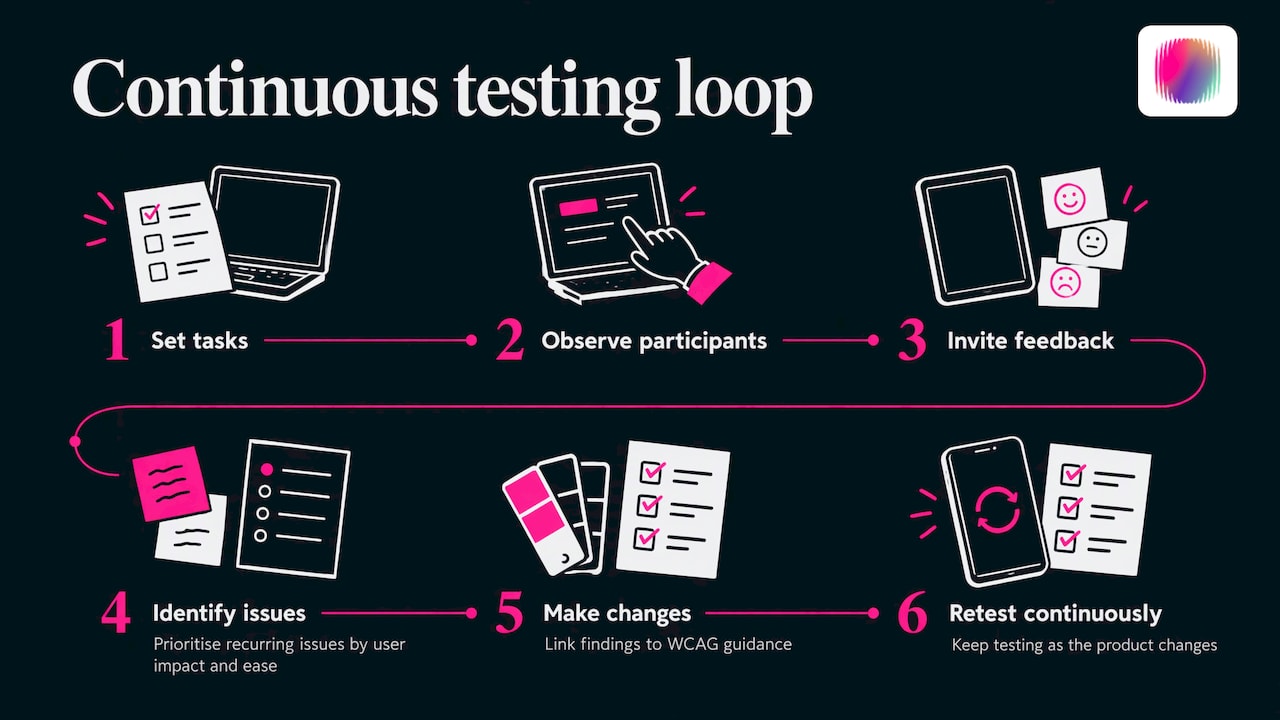
Digital NSW describes the loop clearly: set tasks, observe participants, invite feedback, identify recurring issues, prioritise by user impact and ease of fixing, make changes, retest and keep testing as the product changes. It frames inclusive testing as continuous delivery work, not a one-off compliance exercise at the end.
Telstra’s testing found poor colour contrast, inadequate touch-target sizes and a Message Us icon that screen readers could not read. The team linked each issue to WCAG guidance and actioned them urgently. Linking findings to a standard makes them easier to defend and schedule.
A simple triage method
- Log each issue with evidence: a short clip, quote or screenshot.
- Tag it as usability, accessibility or both.
- Map it to a WCAG success criterion where one applies.
- Assign severity by how badly it blocks the task.
- Estimate effort to fix.
- Fix, then retest with some of the same participants where possible.
Once the product is fixed, say so publicly. An accessibility statement tells visitors what you support and how to reach you, and your research gives you real content for it.
Our perspective
We have spent over 20 years working with disability organisations, and the pattern is consistent: brands that do inclusive research produce clearer, more distinctive work than brands that guess.
Research and branding are not separate jobs. The language you use in a survey, the colours in a prototype and the tone of an invitation email all carry your brand. If they exclude people, your brand says something you never meant to say.
Our team includes young creatives with disability, and that shapes how we work. We do not treat lived experience as a box to tick at the end. It informs how we write, design and test from the first workshop. Our view is that generic imagery and generic messaging usually come from skipping this step.
If you are a disability organisation or social enterprise, start small: a handful of well-supported sessions with the right people will teach you more than a large survey nobody could finish. Then let what you learn drive your identity, your messaging and your website.
Tommy
Where we can help
If your research shows that your brand, website or content is not landing with the people you serve, that is where we come in. DISBRANDED is a creative agency working with disability organisations, social enterprises, startups and established businesses. Our services cover brand strategy, brand design, creative assets, social media and web design, plus DIY courses if you would rather build your own brand skills in-house.
If you are preparing to act on your findings, our brand messaging framework guide is a good place to turn insights into words, and the brand launch checklist maps the steps to launch. You can also start at our home page.
FAQ
How many participants do I need for inclusive UX research?
There is no single number. Start by defining a minimum viable cohort across the access needs relevant to your product, as Digital NSW suggests. Small rounds repeated through development, like Telstra’s four rounds with 20 people, tend to be more useful than one large study. Never present results from a few people as true for everyone with a disability.
Is inclusive UX research the same as accessibility testing?
No. Accessibility testing checks a product against standards such as WCAG, while inclusive research involves real people with varied abilities and contexts. W3C recommends combining both, because each finds problems the other can miss.
How do I find participants with disability?
Try disability organisations, your own customer database and social channels, as Digital NSW recommends. Budget for incentives, and offer more than one way to take part, such as paper, phone or online. Allow time for relationship building, since trust affects who agrees to join.
Can I test accessibility with a prototype?
Only in part. Early prototypes work for testing concepts and flow, but wireframes and limited-functionality prototypes do not behave like real code with a screen reader or speech-to-text. For assistive technology testing, use a coded build wherever possible.
Sources
- Accessibility, Usability, and Inclusion (W3C WAI)
- Involving Users in Evaluating Web Accessibility (W3C WAI)
- Understanding users and their needs (Digital Experience Toolkit, Australian Government)
- Usability testing (Digital NSW)
- Rethinking digital and AI inclusion (Frontiers in Sociology, 2025)
- Designing autonomous vehicles for People with Disabilities (ATRF 2023)
- Telstra All In: Accessibility and Inclusion at Telstra
- Assistive Technology Survey 2025 Results (Intopia)
- When equal isn’t equitable (Microsoft Design)